
Reels Studio turns a website into a finished social reel.
We built it for our own team. Paste an address, and about three minutes later there is a 1080 × 1920 video, in the client’s brand or ours, made only from what their site really says. One AI decision per reel; everything around it is engineered.
- 4steps, from address to MP4
- 25looks the reels are built from
- $0.002AI cost per reel
- 50automated tests on the pipeline
Real output: our own concept sites, made by the Studio.
The brief
Social video that doesn’t cost a designer’s afternoon.
A reel of a client’s website used to mean screen recordings, cutting, captions and brand colours set by hand. Hours for thirty seconds, so it rarely happened.
We wanted the opposite: paste an address, get a reel good enough to hand to the client with little or no editing, and keep a person in charge of the last ten percent. Before writing any code we set four rules.
- Every word and price on screen comes from the client’s own site.
- A reel costs next to nothing to make, so making one is never a decision.
- It runs on our own small server, beside our other tools.
- A designer can still open any reel and change it by hand.
How it works
Four steps. Only one of them is AI.
Shown with a real run: the reel of Orra, one of our concept sites, from the address to the finished file.
- 01
Capture
A headless browser opens the site the way a phone does, scrolls it so everything loads, closes the cookie banner and reads up to four inner pages. It keeps what scenes are made of: the page’s own pictures, product or room cards with their prices, numbers with their labels, quotes, the logo and colours.

Found on orra
- 10pictures, the site's own files
- 4room cards with their prices
- 12numbers with their labels
- 4guest quotes
- 13headings, where they sit on the page
Read in 23.6 seconds
- 02
Plan
One AI call returns the reel as structured data against a strict schema: the opening line, the scenes, their order and their words. Then our code checks every scene against the capture. A price, number or quote the site doesn’t have is dropped before a frame is drawn.
The plan · 8 scenes, each one checked
- 01HookTwenty-two rooms above the Aegean.
- 02LogoA quiet place at the sea’s edge
- 03FeaturesArch Room €380 · Horizon Suite €620 · Stone Suite €690 · Cliff Villa €1450
- 04Number22 rooms and suites, no queues
- 05PhotoYour room, open to the wind
- 06Quote“The kind of place you don’t tell your friends about.”
- 07SectionSwim, sail, then dine on the cliff
- 08ClosePlan your stay
One AI call · 10,657 tokens in, 1,928 out · $0.0020
- 01
- 03
Compose
The plan becomes a video project: one clip per scene, filled from the plan and dressed in the brand, the client’s or ours. An anchor look carries the background and transitions, up to three guest looks lend scenes, and a client never gets the same lead look twice in six reels.
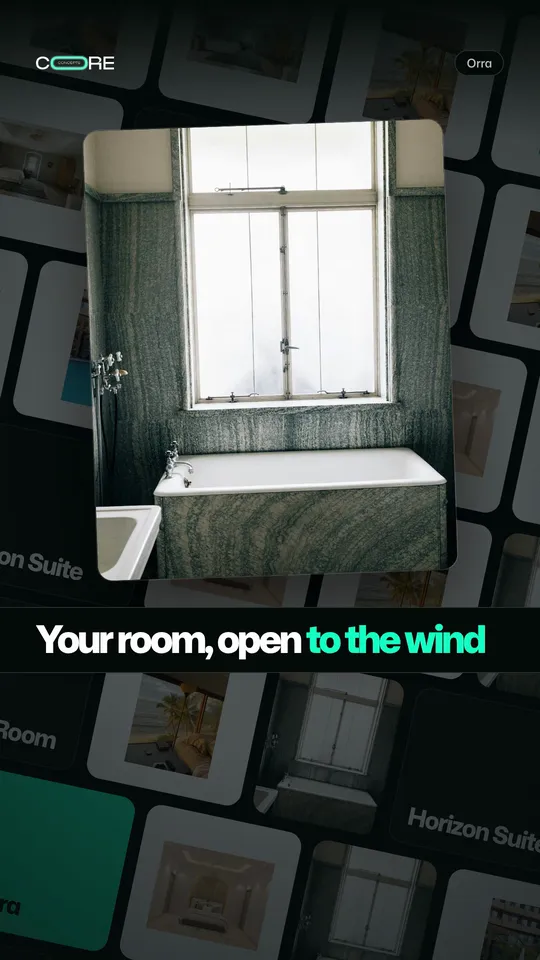
Marquee Wallthe anchor look 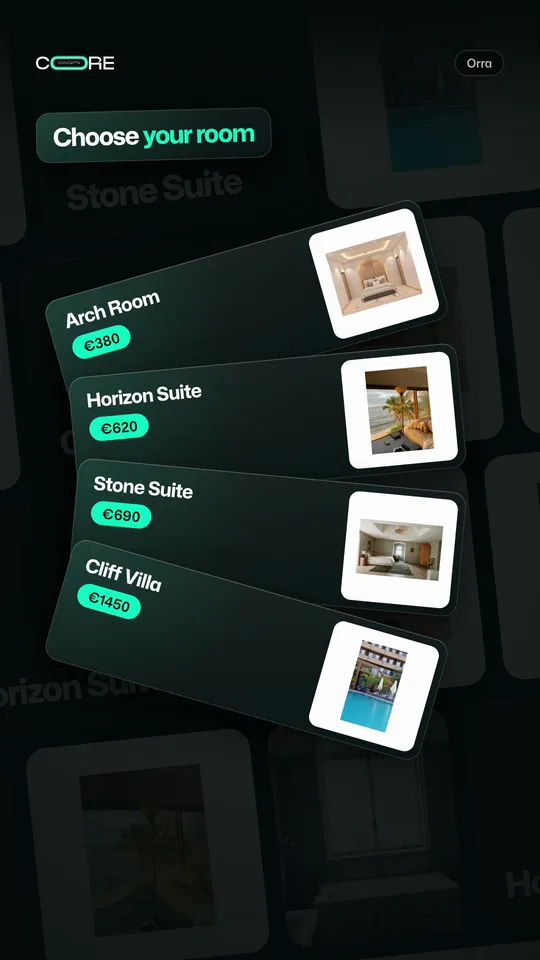
Card Decklends the rooms 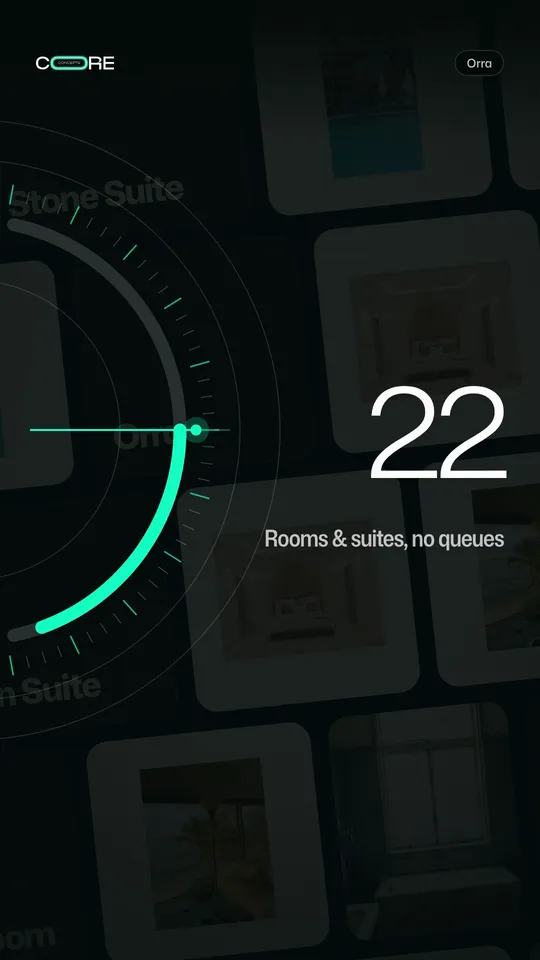
Data Pulselends the number One reel, three looks from the library of 25
- 04
Render
The project is checked, then rendered frame by frame to a 1080 × 1920 MP4, reporting real progress to the page. Any reel can then open in a visual editor for changes by hand, and render again.
Render
- 810frames
- 1080 × 1920pixels
- 27 slong
- MP4H.264
The new file replaces the old one only when the render succeeds
Found on orra
- 10pictures, the site's own files
- 4room cards with their prices
- 12numbers with their labels
- 4guest quotes
- 13headings, where they sit on the page
Read in 23.6 seconds
The plan · 8 scenes, each one checked
- 01HookTwenty-two rooms above the Aegean.
- 02LogoA quiet place at the sea’s edge
- 03FeaturesArch Room €380 · Horizon Suite €620 · Stone Suite €690 · Cliff Villa €1450
- 04Number22 rooms and suites, no queues
- 05PhotoYour room, open to the wind
- 06Quote“The kind of place you don’t tell your friends about.”
- 07SectionSwim, sail, then dine on the cliff
- 08ClosePlan your stay
One AI call · 10,657 tokens in, 1,928 out · $0.0020
One reel, three looks from the library of 25
Render
- 810frames
- 1080 × 1920pixels
- 27 slong
- MP4H.264
The new file replaces the old one only when the render succeeds
Engineering
Engineered, not improvised.
Six decisions that make the difference between a demo and a tool a team uses every day.
- 01
AI only where judgement is needed
Choosing scenes and words takes judgement, so that is the one AI call. Capture, layout, motion and rendering are ordinary code: the same plan always gives the same video, and every step can be tested and run again.
One call per reel, about $0.002
- 02
Nothing invented
Every planned scene has to point at something the capture found. The validator removes any price, number or quote the site does not show, whoever wrote the plan.
Checked before a frame is drawn
- 03
It fails safely
Without the AI, a built-in plan takes over and the panel says why. A failed render never deletes the last good video. A job interrupted by a restart resumes at the step it was on.
Every state says what to do next
- 04
A library, not a template
Each of the 25 looks is a folder with its own styles and motion, found by scanning, so adding one never touches shared code. Looks can share one reel, scoped so their styles never collide.
25 looks, mixed per reel
- 05
The client’s brand, read from their site
The reel takes the client’s logo (vector when the site has one), page colour and accent, chosen for contrast. Greek text gets a typeface of its own, because the main one has no Greek.
Client or Core Concepts brand, per reel
- 06
Built to run lean
One render at a time on a two-core server shared with our audit tool, behind a secure sign-in. The visual editor starts on demand and shuts itself down after fifteen idle minutes.
Capped containers, no idle cost
Architecture
How the parts fit together.
Two small services and a queue. The web app takes the request, the worker does the heavy work one job at a time, and the editor only runs when someone opens it.
- Team browserPaste an address
- Secure sign-inInvited emails only
- Web appThe page and its API
- Job queueOne job at a time
- WorkerCapture, plan, compose, render
- Site captureA headless browser
- AI plannerPlans the scenes
- Video engineComposes and renders
- MP4 and poster1080 × 1920, to download
- Visual editorEdit by hand, on demand
The output
Four sites, four reels.
Made by the Studio from our own concept sites, on the default settings and in our own brand. The one hand edit: the site’s name, which these preview sites do not publish.
Orra
Boutique hotel
Marquee Wall + Card Deck + Data Pulse
Halden
Architecture studio
Chapters + Timeline + Isometric
Glosswerk
Car detailing
Glass Stack + Timeline
Selah
Pilates studio
Wave Field + Timeline
For your business
What a tool like this does for a company.
Reels Studio is one of the AI tools we built and run ourselves. We build the same kind of tool for businesses: one job, done reliably, on infrastructure you control.
Content from what you already have
Your website already holds your best pictures, prices and reviews. A tool like this turns them into posts.
A steady rhythm
When a reel takes minutes, a launch, an offer or a new page gets its video the same day.
On brand by default
Logo and colours come from your own site, so every video looks like you without a style guide in the loop.
Safe to publish
Nothing appears on screen that your site does not already say, so there is no claim to check twice.
Questions
Before you ask.
Can we buy Reels Studio?
Not as a product: it is the tool our own team uses. We can build one like it for your business, around your content, your brand and your workflow.
Where does the AI come in?
Once per reel, to choose the scenes and their words, with a fast, low-cost language model. Capture, layout, motion and rendering are ordinary code, so the same plan always gives the same video.
Can it make things up?
No. Every scene has to point at something the capture found on the site. A price, number or quote the site doesn’t have is removed before the video is made.
Does it work with any website?
With most public sites. Sites behind bot protection refuse the capture, and the tool says so in a plain sentence instead of failing silently.
Can a person still change a reel?
Yes. Any reel opens in a visual editor for changes by hand, then renders again. The editor closes itself after fifteen minutes without use.
How long does a reel take?
Two to three minutes from the click to the video: about a minute to read the site and plan the scenes, about a minute to render.
Want a tool like this for your team?
Tell us the job that eats your team’s week. We’ll tell you honestly whether AI belongs in it, and what it would take.