

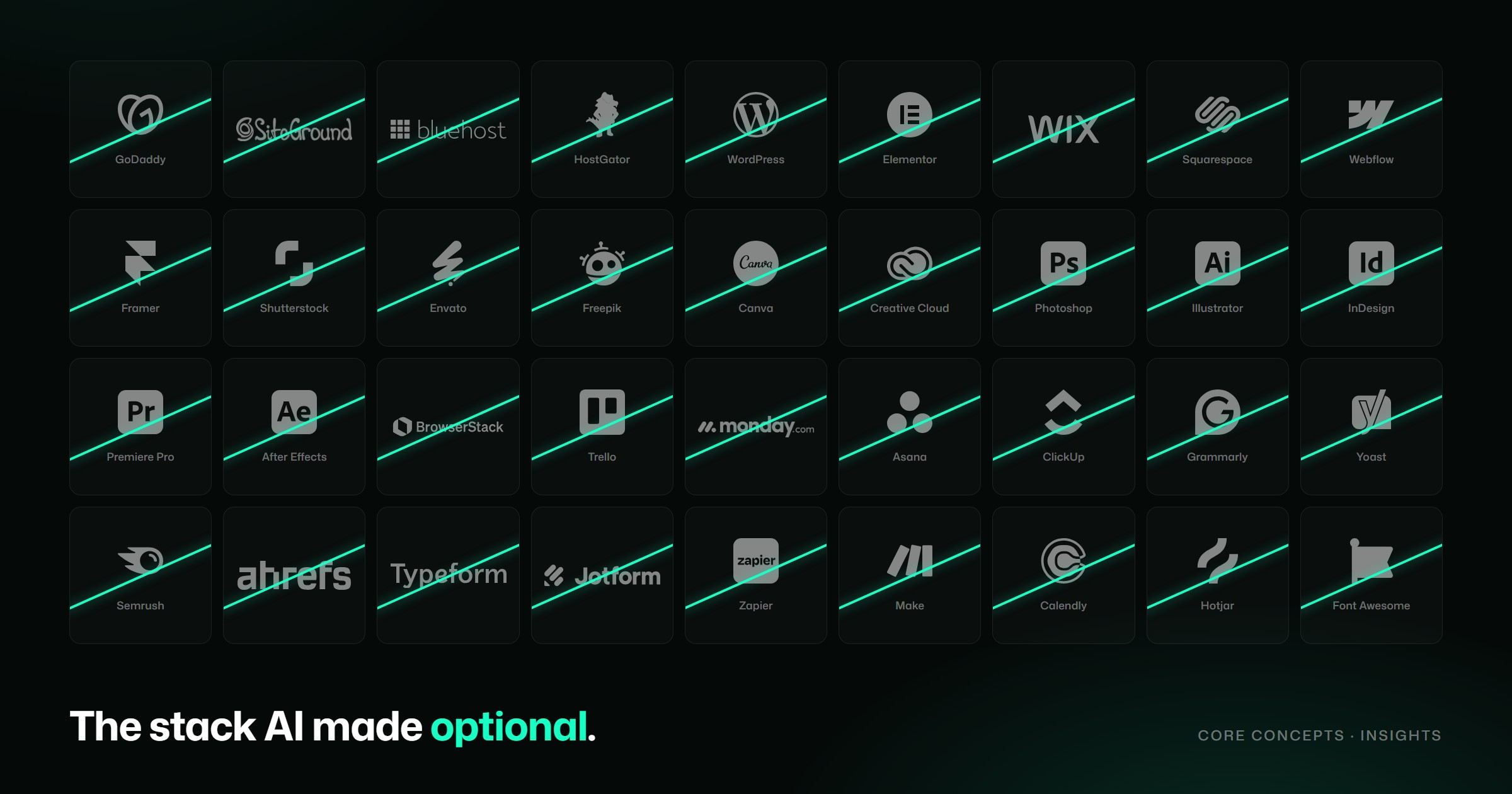
For fifteen years, building a business website meant paying for a stack. Hosting from one company, a theme from another, a page builder on top, a dozen plugins to make the page builder behave, a stock library for the photos, a design suite for the graphics and a project board to keep it all moving. Each one was a monthly line on a card statement, and each one was reasonable on its own.
AI changed that. When code, copy, images and analysis can be produced on demand, a lot of tools that sold us a shortcut stop being necessary. Here are twenty we think most single-business websites, and the designers who build them, can now leave behind, along with what replaces each one.
A fair warning before the list: "don't need" isn't the same as "useless". Large teams, complex shops and regulated businesses will still have good reasons for some of these. The point is that for a typical business website, they've become optional.
Building and hosting the site
1. Paid shared hosting (GoDaddy, SiteGround, Bluehost, HostGator). Shared hosting made sense when a website was a PHP application that needed a server running around the clock. A modern site built as static pages or with a framework like Next.js doesn't. Cloudflare Pages and Netlify host it for free on a global network, with SSL, preview links for every change and automatic deploys. Vercel does the same; its free Hobby plan is for non-commercial use, so a business site belongs on Vercel Pro, which still costs less than many managed WordPress plans.
2. WordPress. WordPress gave non-developers a way to run a website. That was its real value, and AI now provides it more directly. With a tool like Claude Code you describe the change, review it and publish it. There's no core to update, no database to protect and no admin login for bots to hammer.
3. Elementor and its ecosystem of add-ons. Elementor Pro, Essential Addons, Ultimate Addons, Crocoblock, template kits and widget packs all exist to fill gaps in a visual builder. Each adds weight to every page and a licence to renew. When AI writes the components, you get exactly the section you need, written once and nothing extra loaded.
4. Website builders (Wix, Squarespace, Webflow, Framer). Builders traded control for convenience. You got speed, but the site lived on someone else's platform, on their pricing, and couldn't easily leave. AI gives you the convenience without the trade: the site is real code that you own and can host anywhere.
5. The WordPress maintenance stack. Wordfence, UpdraftPlus, WP Rocket, ManageWP and the monthly care plan that ties them together exist because WordPress needs constant patching, caching and backing up. Take WordPress away and most of that work goes with it. Git keeps every version of the site, and the hosting network handles caching.
Assets and design
6. Stock libraries (Shutterstock, Envato Elements, Freepik, Adobe Stock, Creative Market). Stock photography was always a compromise: decent images that the same thousand competitors were also using. Image and video models now produce visuals made for your brand, your colours and your exact layout. For typefaces the honest answer is different. AI isn't good at designing fonts yet, but Google Fonts and Fontshare offer excellent free families.
7. Canva. Canva made design accessible through templates. AI makes it accessible from a blank page. With Figma, which is free to start, and AI generation, social posts, presentations and flyers can be made for your brand rather than adapted from someone else's.
8. The full Adobe Creative Cloud. Photoshop, Illustrator, InDesign, Premiere and After Effects are still remarkable tools. Most business websites use a fraction of them. Figma covers layout and vector work, AI handles image editing and generation, and DaVinci Resolve or code-built video covers motion, for far less than a full Creative Cloud subscription.
9. Mockup generators (Placeit, Smartmockups, mockup PSD packs). Putting your design on a laptop screen, a phone or a coffee cup used to need a subscription or a layered Photoshop file. A single prompt now produces the scene, lit and angled however you want.
10. Premium icon packs (Font Awesome Pro, Iconscout, Flaticon Premium). Free sets like Lucide, Phosphor and Tabler are now as complete and consistent as most paid ones. For the rare icon they don't have, AI can draw a matching SVG in the same style.
Running the project
11. Cross-browser testing services (BrowserStack, LambdaTest). Paying for remote devices made sense when testing was manual. Playwright is free and runs the same checks in Chromium, Firefox and WebKit, and AI writes those tests from a plain description of what the page should do.
12. Paid project management (Trello, Monday.com, Asana, ClickUp). For a solo designer or a small agency, Plane does the job for free: boards, issues, cycles and docs, open source, and self-hostable if you want it on your own server.
13. Paid automation tiers (Zapier, Make). Most small-business automations are short: when a form arrives, add a row and send an email. AI writes that as a small script or a scheduled job in minutes, and n8n covers the visual version if you prefer one, self-hosted for free.
Content and growth
14. AI-writing and grammar subscriptions (Grammarly Premium, Jasper, Copy.ai). These were single-purpose tools built on the same kind of model that a general assistant now gives you directly. One assistant can draft, edit, shorten and check tone, so a separate subscription for each task is hard to justify.
15. Translation plugins (WPML, Weglot, Polylang Pro). Many translation services charge by the word, every month, for as long as the site exists. AI translates the whole site once, a person who speaks the language reviews it, and the framework's built-in language routing serves each version.
16. SEO plugins and suites for small sites (Yoast Premium, Rank Math Pro, Semrush and Ahrefs subscriptions). For a single business site, the work is mostly titles, descriptions, structured data and good content, and AI does all of it well. Pair it with Google Search Console, which is free, and you can see exactly how Google reads the site. The big suites earn their price at agency scale, not for one business. Search itself is changing too, which is why we treat SEO and generative engine optimization as one discipline.
17. Form builders (Typeform, JotForm, Gravity Forms, WPForms). A coded form matches your design exactly and doesn't charge per response. Send submissions through Resend or Formspree, both free for small volumes, and they arrive in your inbox.
18. Calendly's paid plans. Cal.com is open source, free for individuals, and embeds into any page with the same booking flow your clients already know.
19. Heatmap and analytics subscriptions (Hotjar's paid plans, complicated GA4 setups). Microsoft Clarity gives you free heatmaps and session recordings, and your hosting's built-in analytics covers traffic. The bigger change is that AI can read the data and tell you what it means, which was always the hard part.
20. Paid email clients and inbox add-ons (Superhuman, Spark Pro and similar). You still need a mailbox, such as Gmail or Google Workspace. What you no longer need is a premium layer on top of it. Connected to your inbox, Claude can sort what matters, draft replies in your voice, chase follow-ups and find that one thread from March.
What this adds up to
Add up a typical stack, with hosting, a builder, add-ons, stock, a design suite, SEO, forms, scheduling and project management, and it can easily pass a few hundred euros a month. Most of that money paid for shortcuts that are now included in the tools themselves.
The bigger gain isn't the money. It's ownership. A site made of code you own, hosted where you choose and changed in minutes, doesn't depend on any platform's pricing or roadmap.
What you still need
Notice what isn't on the list: a clear message, a design that suits your business, someone who knows what to build and why, and the judgement to tell a good result from a merely fast one. AI makes the making cheap. Deciding what's worth making still takes experience.
That's how we build websites at Core Concepts now: fewer tools, more thinking, and a site you fully own at the end. If you're paying for a stack you suspect you don't need, tell us what you're running and we'll tell you honestly what you can drop.